The Complete Guide to White Label SEO Onboarding for Agencies and Resellers
The Complete Guide to White Label SEO Onboarding for Agencies...
Read More →
A lot of white label problems can be traced back to week one: missing access, unclear scope, and no agreed way to talk to each other.

White label SEO onboarding is the structured process an agency or reseller follows to start working with a white label SEO provider, and to bring each new client into that workflow. It covers agreeing who does what, setting up access safely, collecting client information, recording a dated pre-work baseline for comparison and diagnosis, and agreeing how work, reviews, and reports will move between you and the provider. Done well, it reduces confusion and rework once delivery begins. It doesn’t guarantee results, because rankings depend on many factors outside either team’s control.
There are two tracks, and agencies often mix them up. Partner onboarding designs the system. Client onboarding runs each client through it.
Methodology:This guide draws on Google’s Help documentation for Search Console, Google Analytics, and Business Profile access roles, Google Search Central’s guidance on hiring an SEO, and patterns Growzify sees when agencies start white label engagements. Public statistics on onboarding are scarce, so this guide doesn’t cite any; the checklists, timelines, readiness criteria, and suggested access levels are practitioner judgment, not Google rules. The example is illustrative, not a real client case.
Most agencies need both, and they have different goals.
| Partner onboarding | Client onboarding | |
| How often | Once, then reviewed occasionally | Every new client |
| Main goal | Agree how you and the provider work together | Get a client’s accounts, goals, and baseline ready |
| Owner | Agency lead or operations manager | Account manager |
| Key outputs | Roles, decision rights, response times, templates, rules | Access, intake form, baseline, approved plan |
Getting partner onboarding right makes every client onboarding faster. That’s why it comes first in this guide.
Growzify’s guide tobackend SEO systems agencies use to scalecovers the wider system around onboarding, including audits, strategy, quality control, and reporting. This guide goes deeper on the start of the relationship.
Complete partner onboarding before you scale white-label delivery, and ideally before the first client begins fulfillment. It takes some time up front, but you only do it once.

client begins fulfillment. It takes some time up front, but you only do it once.
Unclear roles are a common source of early delivery friction. Write down who owns each task, and separate four rights for every material workstream:
Recommend → Approve → Implement → Validate
Execution is too broad a word. On one client, the provider recommends, the agency approves, the client’s developer implements, and the provider validates. On another, the provider has CMS access and implements directly. Those are different authority models.
| Workstream | Recommend | Approve | Implement | Validate |
| Content changes | Provider | Agency or client | Provider or client | Provider and agency |
| Template changes | Provider | Client or agency | Developer | Provider |
| Redirects | Provider | Client or agency | Developer or provider | Provider |
| Business Profile changes | Provider | Agency or client | Authorized Manager | Agency or provider |
| Link outreach | Provider | Agency | Provider | Agency QA |
| Task | Agency | Provider |
| Sales and client relationship | Owns | Not involved |
| Client communication | Owns | Supports with answers when asked |
| Quality check | Final review | First review |
| Reports | Brands and presents | Drafts |
| Client accounts and ownership | Ensures the client owns them | Uses the access given |
These are Growzify practitioner templates. Adjust them to your agreement.
Access permission isn’t the same as implementation authority. A Full user in Search Console doesn’t automatically have authority to change redirects, content, robots rules, templates, or Business Profile data. Likewise, a CMS editing role doesn’t mean “publish anything without review.”
Agree on the basics in writing. The goal is to remove guesswork, not to create bureaucracy.
Decide:
Create one form you send for every client. It saves time and means nothing gets forgotten.
A strong intake pack asks for:
Without the technical constraints, a provider may recommend work nobody can implement. Without the measurement definitions, “leads increased” can simply mean the conversion setup changed during onboarding.
In a fully white-label arrangement, client-facing material usually carries your brand only. Decide exactly what that means in practice: report templates, email signatures, shared documents, and dashboard links.
Also confirm whether the client agreement permits subcontracted fulfillment, and what, if anything, must be disclosed about third-party access to client systems or data. Disclosure isn’t always required, but the contract and the actual operating model should match.
Your contract should reflect this. Growzify’s guide onwhat a good white label SEO contract should includecovers confidentiality, ownership, and exit terms. The guide on thewhite label SEO reporting structurecovers how branded reports should work.
Use a controlled first engagement as validation:Pilot → Validate → Document → Scale. Start with one client, or one contained project, and use it to test the process.
Check these during the pilot:
Growzify’swhite label SEO quality control checklistcan serve as the review standard for the pilot.
Turn what you learned into a short working document. Include roles, decision rights, contacts, response and resolution targets, intake steps, and review steps. Update it when the process changes.
Once the partner relationship is set, every client follows the same path.
A common weak point is the gap between selling and starting. Make sure the person who sold the work records what was promised.
Write down:
If a sales promise conflicts with the signed scope, resolve that discrepancy before delivery begins, rather than silently passing it to the provider. Never let a provider find out about promises after delivery has begun.
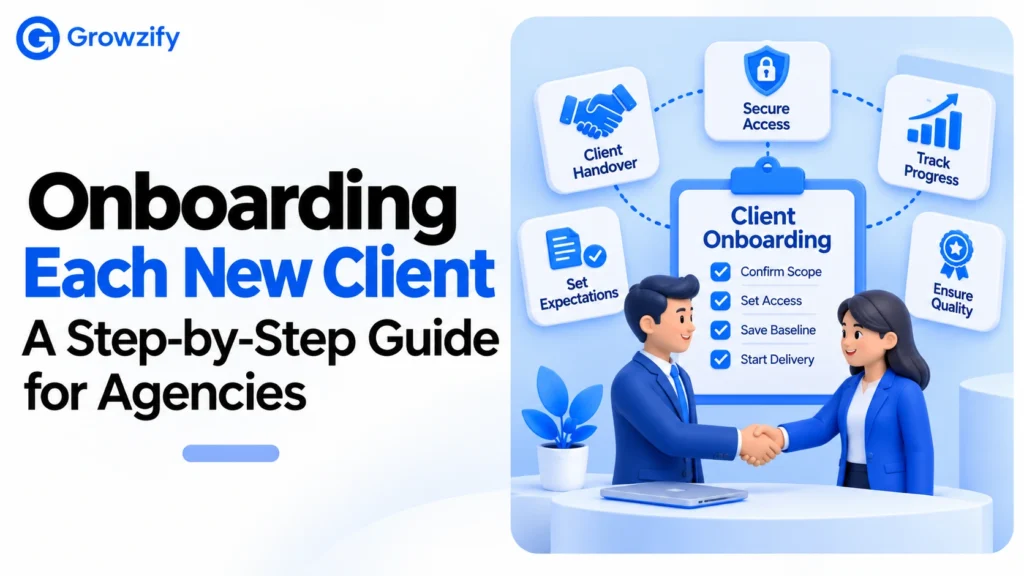
A signed contract or a completed kickoff call doesn’t automatically mean a client is ready for SEO execution. Before substantive work begins, confirm a Definition of Ready:
Once those conditions are met, onboarding can move into active delivery. Calendar timing should follow operational readiness. A provider shouldn’t be judged late for work that couldn’t begin because required access, approvals, or implementation dependencies weren’t available.
Here’s a first-month timeline to adapt. The weeks count from readiness, not merely from contract signature.
| Stage | Agency actions | Provider actions |
| Before kickoff | Confirm scope and goals, send intake form | Review the scope, prepare questions |
| Week 1 | Collect access, confirm ownership | Take a baseline, check site basics |
| Week 2 | Review audit findings, approve the plan | Deliver audit and strategy |
| Week 3 | Share priorities with the client | Start priority fixes and content |
| Week 4 | Review the first deliverables, present progress | Deliver the first draft report |
Treat the timing as a starting point. A large site, missing access, or a slow client approval process can take longer, and if access isn’t in place on day ten, the audit can’t be finished in week two.
Access can become a major onboarding bottleneck when ownership and permissions haven’t been confirmed in advance. Follow one rule: the client should own their accounts, and the provider should get the lowest access needed.
Google’s own documentation helps here. Start with the three platforms most SEO work touches.
Google Search Console.search console has three permission levels. An Owner has full control, including adding and removing users. A Full user can view all data and take some actions. A Restricted user has simple view rights on most data.
Google Analytics.Google analytics rolesrun from Viewer and Analyst up to Marketer, Editor, and Administrator. Roles can be set at the account or property level, and a user’s effective role is the most permissive one they hold. Administrators can also apply data restrictions, such as hiding cost or revenue metrics.
Google Business Profile.Business profile rolesinclude Primary owner, Owner, and Manager. A profile can have multiple owners but only one primary owner. Managers have nearly the same access as owners but can’t add or remove users or remove the profile.
Google’s hiring guidance adds a useful principle. If an SEO offers to do an audit, it advises granting read access to Search Console only, not write access, at that stage.
Here’s a suggested starting point. It’s a Growzify practitioner suggestion, not a Google rule.
| Platform | Suggested starting access | Why |
| Search Console | Restricted user for audit and reporting. Move to Full user only where a specific Search Console action justifies it. Keep Owner with the client | Matches the audit-first, least-privilege approach |
| Google Analytics | Viewer or Analyst for reporting | Enough to read and analyze data |
| Business Profile | Manager, not Owner | Allows management without ownership control |
| CMS | A non-administrator editing or publishing role suited to the platform and agreed work, with staging and controlled deployment for material changes | Limits the chance of accidental site-wide changes |
| Hosting or domain | Only if needed, granted by the client | Highest risk, lowest need |
Three safeguards matter in practice:
When the engagement ends, the client’s owner can remove access, and should also review old Search Console verification tokens.
Growzify’sSEO outsourcing checklistincludes a permissions matrix and baseline guidance from the client’s side, which is a useful companion for this step.
Before any changes, record where things stand, with a date.
Without a baseline, it becomes harder to show what changed relative to the starting state, or to diagnose whether later movement is consistent with specific work. The baseline supports comparison. It doesn’t by itself prove causation.
Tell the client what will happen and when. Cover:
On the last point,Google’s guidance on hiring an SEOsays no one can guarantee a #1 ranking. Don’t let a sales promise create a problem your provider can’t solve.
Also tell the client that recommendations needing client developers, legal approval, content approval, or credentials can’t be treated as provider-controlled delivery time. Track provider turnaround separately from client-side dependency time.
This is an illustration, not a real client case. “Brightline Studio” is a fictional design agency adding SEO for a local dental clinic through a white label partner.
During week one, the account manager checks the Business Profile. The profile’s primary owner is the web company that built the clinic’s old site.
Because the agency’s onboarding checklist asks who owns each account, this surfaces early. The workflow runs like this:
Meanwhile, the provider takes a baseline and finds that the clinic’s Search Console property has only one verified owner, a former employee.
Adding another delegated owner wouldn’t solve that, because delegated owners depend on a verified owner. Instead, the clinic verifies ownership through a method it controls, such as a DNS record at a registrar the clinic controls. It then reviews the former employee’s verification tokens and access, so it no longer depends on an ex-employee.
Without the checklist, both problems might have surfaced months later, when someone needed to change a listing or recover access.
The core steps stay the same. What changes is the emphasis. This table is a practitioner guide, not a rule.
| Client type | Extra onboarding focus | Why it matters |
| Local business | Business Profile ownership, location details, review process | Local work depends on accurate listings and access |
| Online store | Product feeds, Merchant Center or feed ownership where applicable, site structure, platform limits | Platform settings can affect what can be changed |
| Large or multi-team site | Approval chain, staging and release process, engineering owner | Changes may need sign-off from several teams |
| Regulated industry | Claims to avoid, review requirements, who gives final compliance approval | Content may need extra checks before it’s published |
| New or rebuilt site | Indexing checks, redirect plans, launch timing | Launch changes can affect search visibility |
Ask about these during the intake stage, not after you’ve started. A short extra question in the form can save weeks later.
For clients with several locations or business units, add a contact list that shows who can approve what at each location. That simple document prevents a lot of delay.
Use these as starting points.
For high-risk work, “done” shouldn’t mean a spreadsheet was delivered. Redirect work, for example, is done when it’s deployed, tested, and validated.
By around day 30, check a few signals:
These are signs the process is sound. They don’t predict ranking outcomes.
Two operational metrics can help an agency improve onboarding at scale:
Onboarding is complete when scope, ownership, permissions, decision rights, baseline, implementation process, reporting expectations, and the first approved priorities are all ready. It isn’t complete merely because the kickoff call has happened.
Resellers, agencies, and consultants follow the same onboarding steps. Some providers use the term “private label” for similar arrangements, and usage varies. What matters is the actual working model: who does the work, who owns the client relationship, and what the client sees.
It’s the process of starting work with a white label SEO provider and bringing each client into that workflow. It covers roles, decision rights, access, intake, baseline, and communication rules.
Partner onboarding establishes the operating model between an agency and its white-label SEO provider: roles, communication, branding, QA, escalation, intake, and delivery rules. Client onboarding is the repeatable process used for each new client: confirm scope, collect information, establish client-owned access, record a baseline, agree decision rights, approve priorities, and begin delivery.
It depends on the client’s site, how quickly access is granted, and how fast approvals happen. A practical first-month plan covers access and baseline in week one, an audit and plan in week two, and first deliverables by weeks three and four, counted from when the client is ready.
Use the least access required for the agreed task. Keep ownership of domains and core accounts with the client, use named individual accounts rather than shared passwords, begin audits with read-level access where possible, and increase permissions only when a documented task requires them. Access permission shouldn’t be treated as implementation authority.
The client. The agency and provider should have named access through roles. This protects the client’s history if the relationship ends.
What information do I need from a new client?
Goals, business-critical pages, target locations and audiences, competitors, brand voice, past SEO work, planned site changes, technical and deployment constraints, conversion definitions, and who approves decisions.
It’s strongly recommended, though not mandatory in every partnership. A pilot lets you test intake, access, quality control, and reporting before you scale.
When scope, inputs, ownership, access, decision rights, the implementation path, measurement, and known dependencies are all confirmed. A signed contract or a kickoff call alone isn’t enough.
If you’re an agency or reseller that wants a delivery partner with a clear onboarding process, Growzify’swhite label SEO servicesteam can walk through how it works.

Chitranshu SharmaA growth strategist, digital marketing consultant, and the founder of Growzify, a performance-driven agency helping brands dominate search, shape perception, and build sustainable online visibility. With 8+ years of hands-on experience in Enterprise SEO, Online Reputation Management (ORM), and AI-led traffic generation, Chitranshu has helped startups, public figures, SaaS companies, and cannabis brands outrank competitors — ethically and at scale.

At Growzify, we are dedicated to helping your business achieve its goals. Are you Ready to take the next step?
What is White Label SEO Reporting: Tools, Metrics, and Best Practices A report can look...
How SEO Outsourcing for Startups Helps in Driving Organic Growth A startup rarely has enough...

How Much Does SEO Outsourcing Cost in 2026? Nobody can give you one honest price...
AI SEO Best Practices to Boost Visibility Across LLMs Large language models do not all...

7 AI SEO Content Optimization Strategies to Improve Visibility on AI Search Platforms AI-powered search...
How to Outsource SEO Without Losing Your Rankings Rankings don’t vanish because someone else is...

AI SEO vs Traditional SEO: The Comparison Guide Most “versus” articles frame two rival camps....

How to Rank Ecommerce Sites: Strategies That Actually Work Home Blog SEO How to Rank...
Call Now






Growzify digital team is very effective, and easy to work with. Very strong communication and always up for suggestions. Saw 300% growth in web traffic 170% growth in revenue through Facebook ad’s & Amazon. I recommended them to my fellows and they turned their online business into a money making machine.